
Magical-Girl Photo AI: Turn Your Photo into a Transformation Heroine
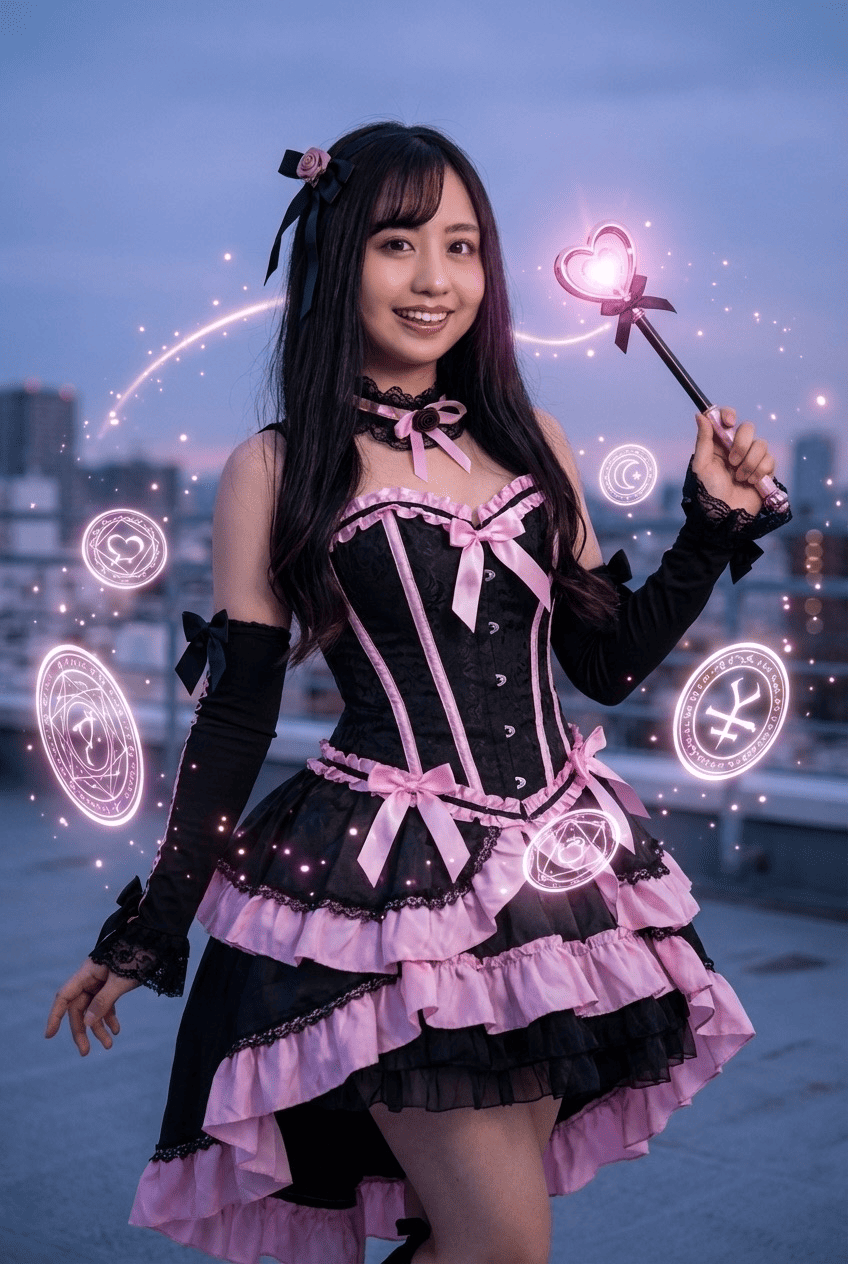
Take an everyday photo and reimagine it as a transformation scene. AI dresses you in a frilly costume, hands you a glowing wand, adds fluttering ribbons and soft pastel sparkles, and renders it as a magical-girl anime-style illustration. Your face stays recognizable, so you're truly the heroine of the shot. Just pick a photo, pick the style, and convert.
3 free to start No subscription · tickets never expire
Just 3 simple steps
- 01
Pick a photo
Choose one photo you want to transform.
- 02
Pick a style
Select "Portrait" from the style list.
- 03
Transformed.
Ready in seconds. Save and share straight to social.
Ways to enjoy it
- A sparkly, transformation-pose icon or header for your social profiles
- A magical-girl card for birthdays and celebrations with a glowing finish
- Swapping 'here's my magical-girl form' shots with friends and fellow fans
Tips for the best result
- Pick a bright, front-facing photo where the face is clear so the costume and wand stand out
- A bust-up or full-body shot lets the frills and ribbons render in full detail
- Using a photo where the hair is visible pairs nicely with the pastel glow
Frequently asked
Does it keep my face when I turn my photo into a magical-girl character with AI?
Yes. It keeps your real face from the original photo and restyles only the costume, wand, ribbons and sparkles into a magical-girl look. You stay recognizable, as if you'd transformed into a heroine.
Is it free, and how does it work?
Your first 3 images are free to try. It's three steps: pick a photo, pick the style, convert. Tickets never expire and there's no subscription.
What kind of photo works best?
A bright, front-facing photo with a clearly visible face works best. A bust-up or full-body shot brings out the frilly costume and wand details. The result is a single still illustration.


Magical Girl
3 free to start・No subscription · tickets never expire