
Turn your photo into a Santa-style Christmas portrait with AI
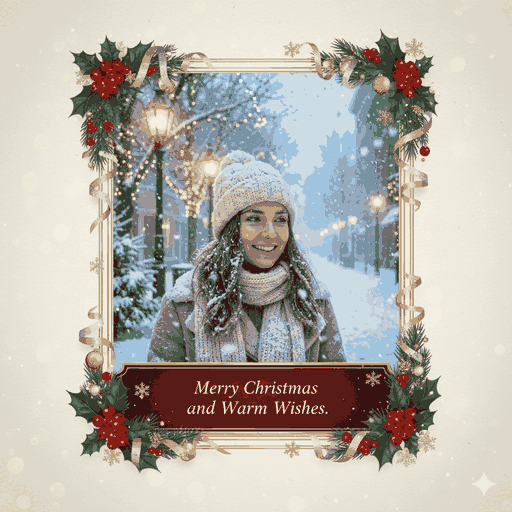
Upload a favorite photo and step into a classic red Santa suit and fur-trimmed hat, with snow drifting across a cozy holiday backdrop. Your face stays your own, so it really looks like you in the costume. Perfect for a Christmas greeting image or a festive seasonal profile pic.

3 free to start No subscription · tickets never expire
Just 3 simple steps
- 01
Pick a photo
Choose one photo you want to transform.
- 02
Pick a style
Select "Seasonal" from the style list.
- 03
Transformed.
Ready in seconds. Save and share straight to social.
Ways to enjoy it
- A Santa version of yourself to send with Christmas greetings or invites
- A December-only profile picture or seasonal social avatar
- Dress up a pet or family photo as Santa for a holiday card-style image
Tips for the best result
- Pick a clear front-facing or slightly angled photo so the hat and collar blend naturally
- Bright, well-lit shots make the snowy backdrop and Santa red look their best
- A head-and-shoulders crop shows off the fluffy hat trim and fur collar nicely
Frequently asked
Does it keep my face?
Yes. The style adds the red Santa suit, hat, and snowy Christmas backdrop while keeping your own face and likeness. It's you in the costume, not a different person.
Can I turn my photo into a Santa-style Christmas portrait with AI for free?
Your first 3 conversions are free. After that you simply buy tickets as you need them, with no subscription, and the tickets you buy never expire.
How does it work?
Just three steps in the Morphica app: choose a photo, choose the Santa style, then convert. In a few moments you get a still image you can save and share.



Santa
3 free to start・No subscription · tickets never expire